01
Errors caught after USS
Wrong material codes and units surface only at acceptance; the fix cycle stretches for days.
report-ai-bot
Pre-USS specification checks: Excel is validated against 1C directories, PDF drawings go through AI prompts by project and floor. Red findings block submission.
Wrong material codes and units surface only at acceptance; the fix cycle stretches for days.
Nomenclature lives in 1C, the spec lives in Excel. Mismatches are hunted by eye.
Rules by project and floor live in people’s heads. No repeat AI PDF check before send.
We built a designer workstation: upload Excel or PDF in the context of a project and building, a severity-ranked findings list, a recommendations chat, and a USS button that unlocks only after blockers are cleared. Drawings are checked by AI via layered prompts.
Validate spec structure against 1C directories, list findings, and suggest fixes.
PDF in project and floor context, prompts in layers: global → project → floor.
Red errors block send. The package reaches USS and then 1C only after blockers are cleared.
Check history, statuses from draft to “sent to 1C”, designer and prompt-engineer roles.
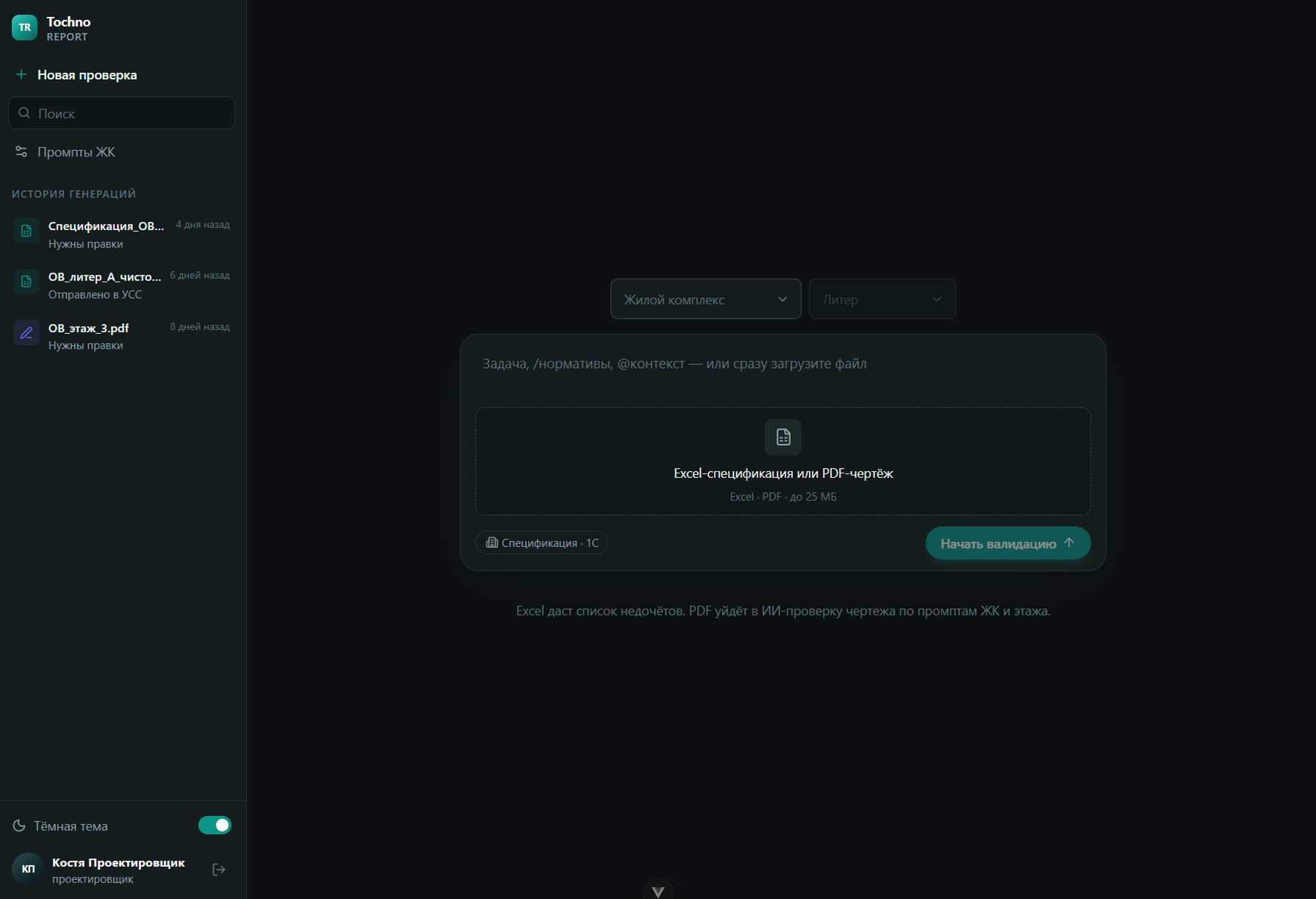
Project, building, floor, and Excel/PDF upload in one window.
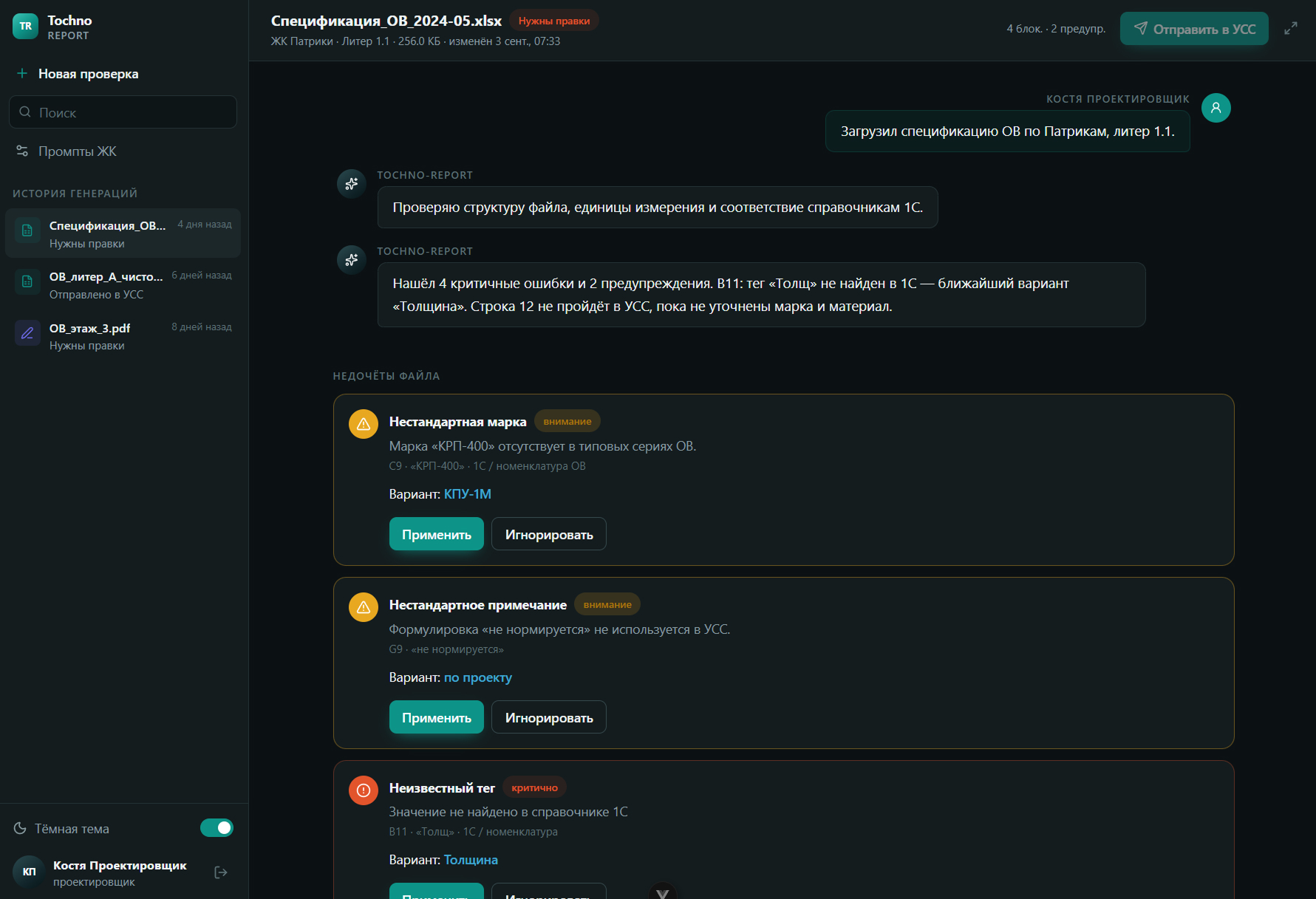
Severity by color, fixes, and recommendations in the session chat.
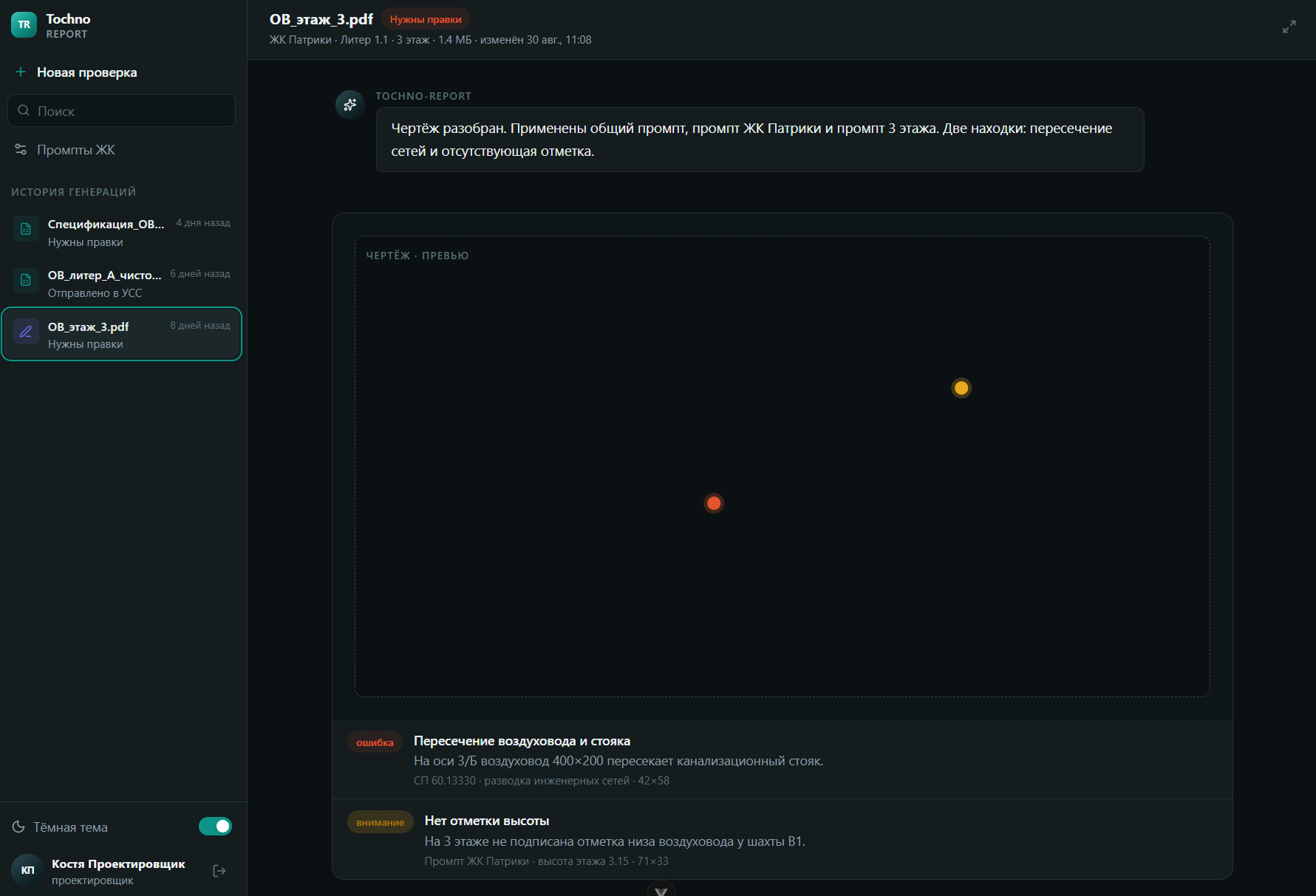
Validation rule hierarchy: global layer, project, and floor.
MVP: specification and drawing validation; send to USS only without blockers
Tell us about the task — we’ll propose a solution and show how it works in practice.